THE VAULT
A fast, controller-ready game launcher for Windows. Every game you own in one place — with trainer support, automatic save backups, cover art, and a full fullscreen console mode.
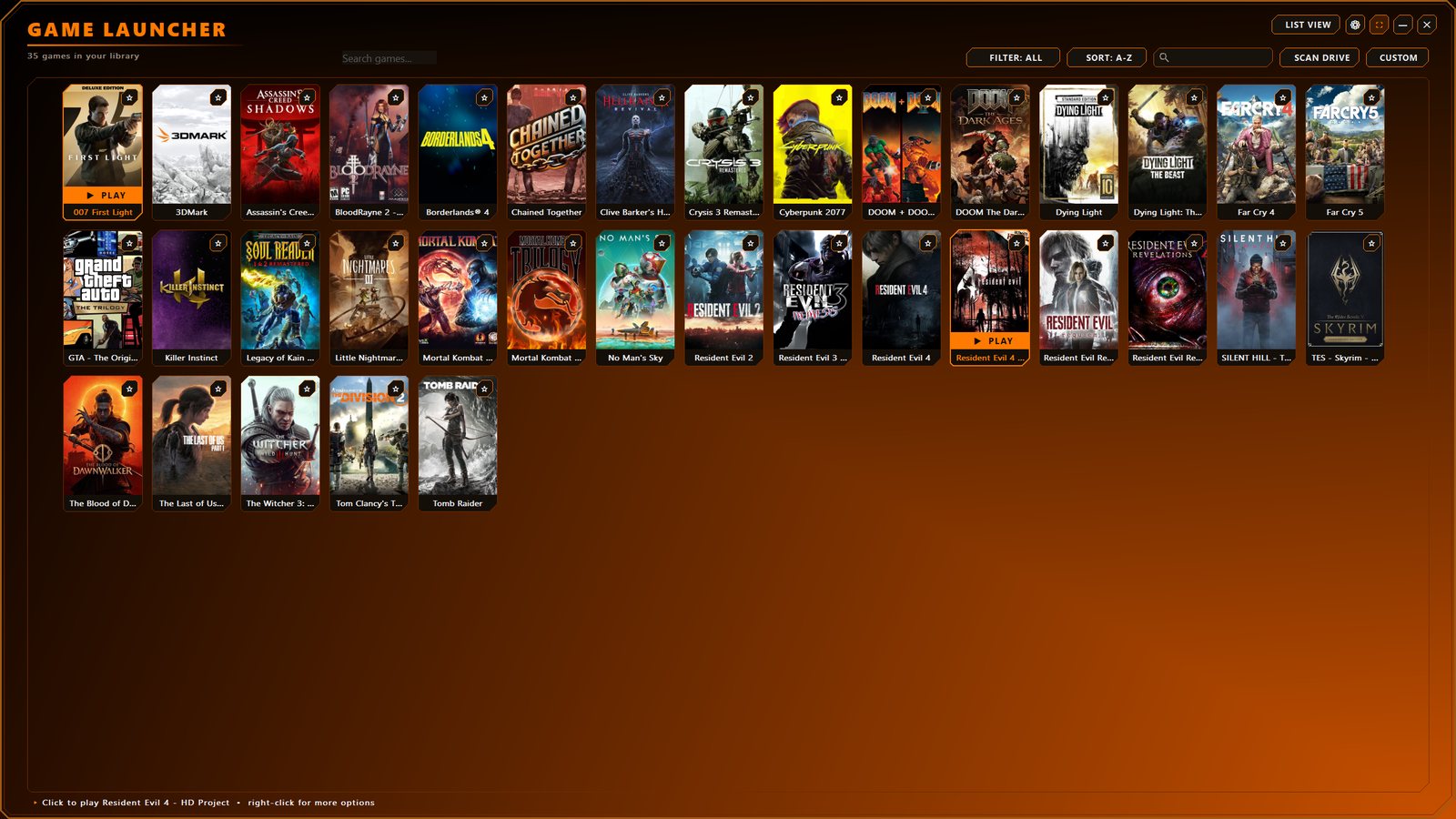
What you get
No bloat, no account required, no telemetry. One small app that finds your games and gets out of the way.
Scans every drive for games from Steam, Epic, GOG, EA, Ubisoft and standalone installs — pulling in the official name and box art for each.
Starts Steam or Ubisoft Connect for you first, so your games launch straight away — no juggling different clients.
Drop a trainer into your trainers folder and The Vault matches it to the right game by name and loads it before the game starts.
Every time you close a game, your save folder is copied to a timestamped backup. Corrupt save or bad patch? Roll right back.
Missing box art is fetched online automatically from Steam's library, or set your own image. Your shelf always looks complete.
Go big-screen and drive the entire app with a controller — giant box art, detail pages and a couch-ready interface.
Favorites, playtime tracking, recently added and unplayed views, sorting and search — your backlog, organized.
Licensed per PC with a signed, machine-bound key. Buy once, it's yours — fully offline, no subscription, no phoning home.
A closer look
The Vault isn't just a list of shortcuts. Here's what's happening under the hood.
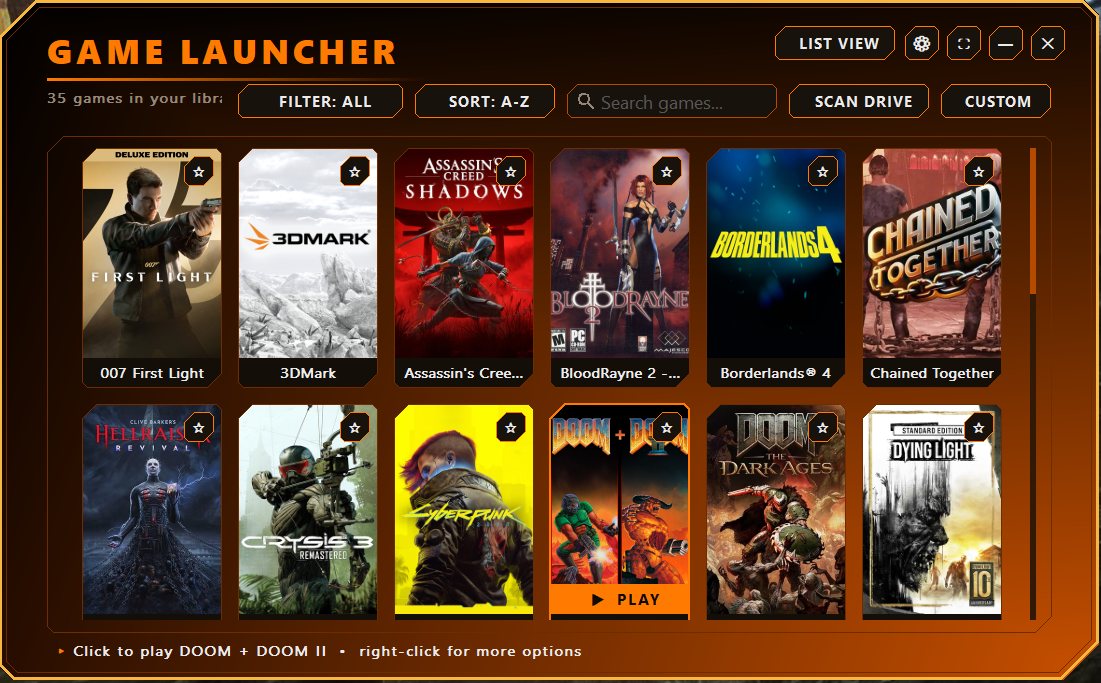
Point The Vault at your drives and it does the rest — sweeping folders for installed games and building a clean, scrollable shelf with proper names and artwork.
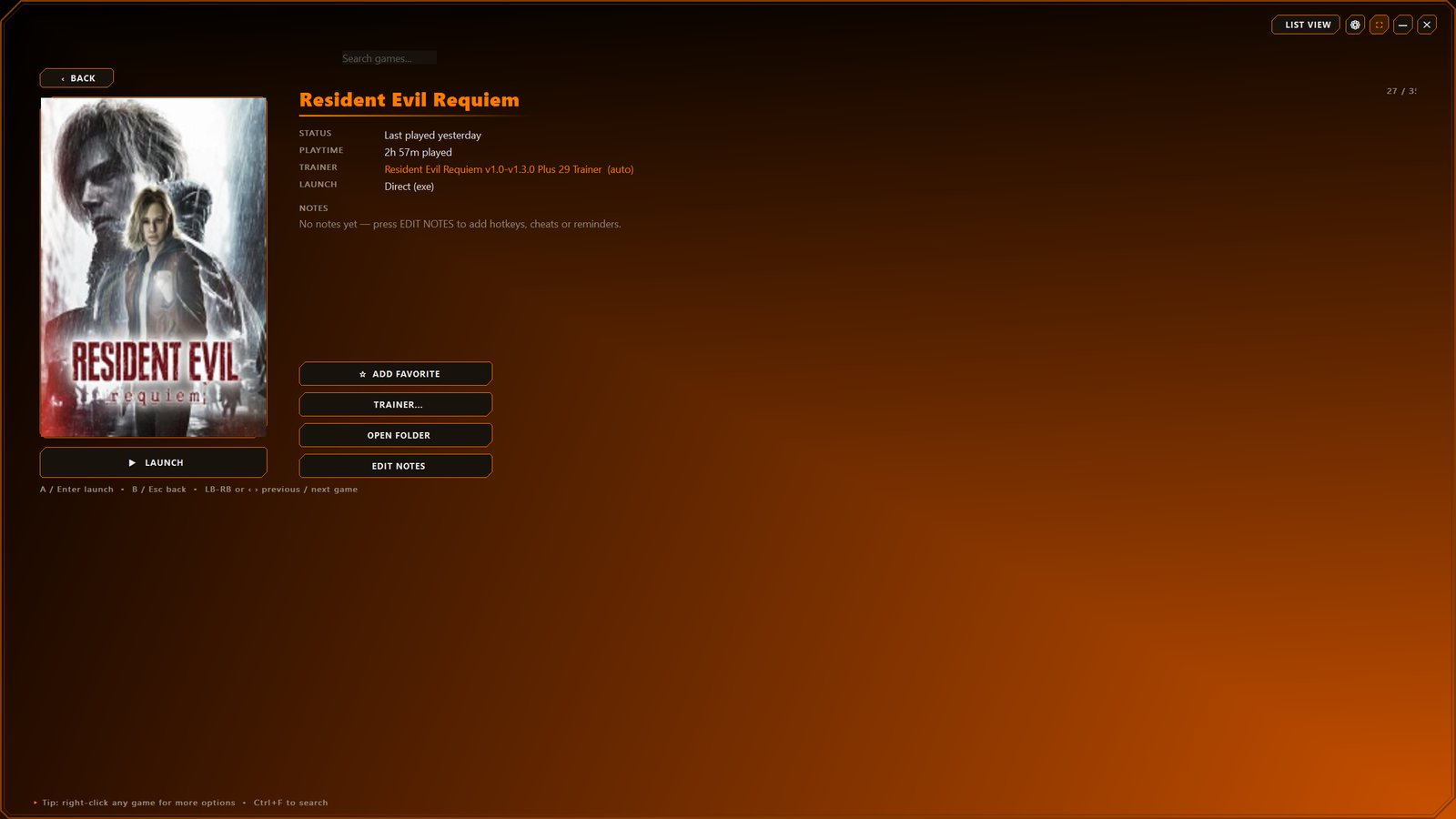
Click any game and get a full page — oversized art, how long you've played, whether a trainer is attached, your own notes, and one big LAUNCH button.
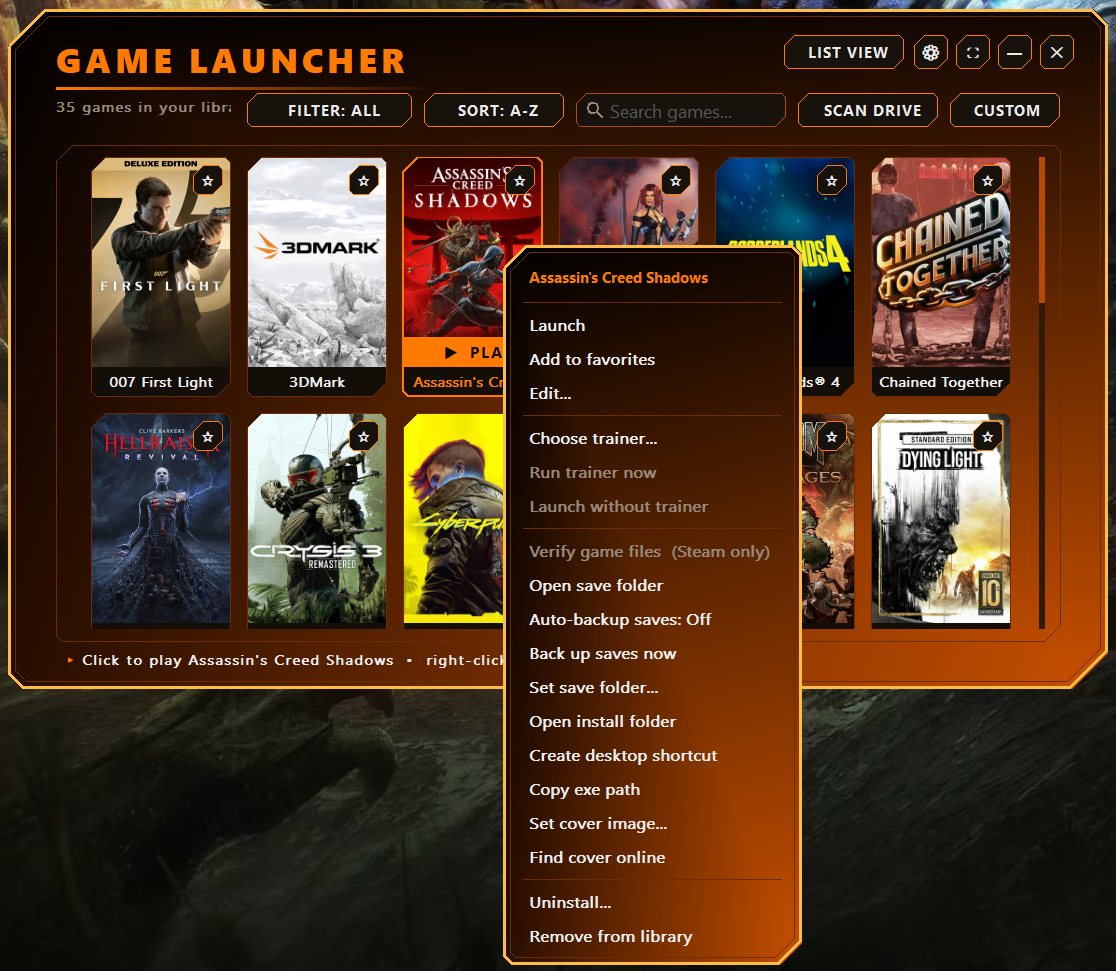
Right-click any game for the full toolkit. Trainers load before the game so they hook correctly, and your saves are protected automatically every time you quit.
Hit fullscreen and The Vault becomes its own big-screen interface you can run entirely from the couch with a controller — like a console dashboard for your PC.
See it in motion
The library grid, the detail page, and the right-click toolkit.
The complete rundown
The full list of what's packed into one small, fast executable.
Get it
Windows 10 & 11, 64-bit. A single download, licensed to your PC. Pay securely with Venmo and get your personal license key within 24 hours.

Tap Pay with Venmo above (or scan the QR code) and send $9.99 to @Justin-Liggetts. In the Venmo note, put "The Vault" and the email you want your download sent to.
The Vault locks to one PC. Open the app's Activation screen, copy your Hardware ID (looks like VLT-XXXX-XXXX-XXXX-XXXX), and submit it in the form below.
I generate a license key tied to your Hardware ID and send it back with your download link — usually within 24 hours. Enter the key once and The Vault is yours.
Already paid on Venmo? Send me your details here and I'll email your key and download.
Prefer email? Reach me at jliggtts@gmail.com